Text Reader4.1.5
Publisher Description

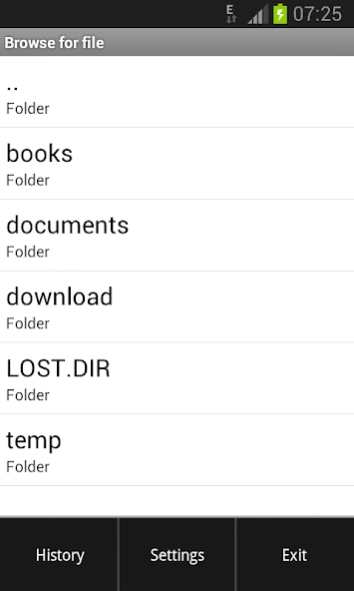
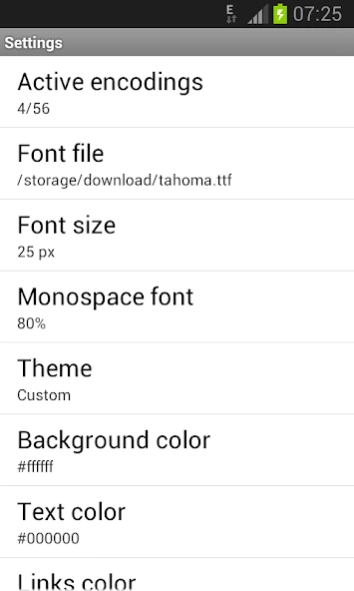

FB2, HTML and TXT reader.
Text Reader is a fast and compact utility for comfortable text reading. Key features are: FB2, RTF, HTML, TXT formats support; reading from ZIP-archives; saving last read position; smooth scroll through pages; view files from arbitrary position; a lot of encodings; custom fonts support; customized color themes; text search.
The program works with text file formats only. If you see unreadable characters on the screen, then either you have opened a non-text file, or do not have chosen the correct character encoding.
You can flip through pages of the text by tapping the top or bottom of the screen. Text position can be adjusted by pressing in the middle of the screen.
To remove some items from the history list, you can use a long press on the corresponding element.
Use volume keys to adjust the screen brightness.
About Text Reader
The company that develops Text Reader is Pavel Gudkov. The latest version released by its developer is 4.1.5.
To install Text Reader on your Android device, just click the green Continue To App button above to start the installation process. The app is listed on our website since 2020-05-17 and was downloaded 1 times. We have already checked if the download link is safe, however for your own protection we recommend that you scan the downloaded app with your antivirus. Your antivirus may detect the Text Reader as malware as malware if the download link to com.penzasoft.textreader is broken.
How to install Text Reader on your Android device:
- Click on the Continue To App button on our website. This will redirect you to Google Play.
- Once the Text Reader is shown in the Google Play listing of your Android device, you can start its download and installation. Tap on the Install button located below the search bar and to the right of the app icon.
- A pop-up window with the permissions required by Text Reader will be shown. Click on Accept to continue the process.
- Text Reader will be downloaded onto your device, displaying a progress. Once the download completes, the installation will start and you'll get a notification after the installation is finished.
Program Details
System requirements
Download information
Pricing
Version History
version 4.1.5
posted on 2020-05-18
- adjustable margins and line spacing
- added tap zone selection
version 4.1.4
posted on 2019-06-03
- minor bugs fixed
